Struggling to get your WordPress website ranking higher in UK Google searches? You're not alone. Many business owners find SEO confusing, time-consuming, and overwhelming—especially when juggling other priorities. The good news: learning how to do SEO on WordPress can dramatically boost your local visibility, leads, and sales, without endless technical headaches or writing everything yourself.
Key Takeaways
- Learning how to do SEO on WordPress is essential for UK businesses seeking local visibility and organic growth.
- Consistent, high-quality content and on-page optimisation are critical ranking factors.
- SEO plugins, schema markup, and local directories enhance discoverability for UK audiences.
- Automated, managed WordPress SEO services offer an affordable alternative to agency retainers.
- Regular monitoring and updates help resolve issues affecting WordPress SEO performance.
What is SEO for WordPress & Why Does it Matter in the UK?
Understanding SEO for WordPress
At its core, SEO for WordPress is the process of optimising your website to rank higher in search engines, attract relevant traffic, and convert visitors into customers. With over 40% of the web powered by WordPress, it’s no surprise the platform is a favourite for UK businesses aiming to grow online. But simply having a WordPress site isn’t enough—effective SEO is what makes you visible to people searching for your services.
Why WordPress is a Top Choice for UK SEO
WordPress’s flexibility, vast selection of SEO plugins, and ease of use make it ideal for UK business owners and marketers. Built-in features like clean HTML, customisable permalinks, and integration with SEO tools give you a head start. Most importantly, WordPress enables you to apply the best SEO practices for WordPress UK, including localised content and structured data for UK searchers.
For UK businesses, optimising WordPress for search engines means more local leads, stronger brand reputation, and a competitive edge—whether you run a shop in Leeds or a consultancy in London.
How to Do Keyword Research for WordPress Success
Keyword Research: The Heart of WordPress SEO
No guide on how to do SEO on WordPress is complete without covering keyword research. Before you optimise or write a single page, you need to know what your UK audience is searching for. Use tools like Google Keyword Planner, Answer the Public, or UberSuggest to identify relevant search terms. Focus on a mix of high-traffic and long-tail keywords, such as "accountant in Manchester" or "affordable web design UK".
Also, remember local SEO strategies for UK businesses: weave in location-based phrases, local slang, and even UK-specific spelling and terminology. This ensures your content resonates with local searchers and stands out in Google’s results.
Building a WordPress SEO Keyword Plan
Organise your keywords into pages and posts. Each page should target a unique primary keyword, supported by related phrases and synonyms. Use your primary keyphrase in the page title, meta description, headings, and naturally throughout the content. Avoid keyword stuffing—Google rewards helpful, readable copy. For each new article, follow a clear SEO checklist for WordPress sites to ensure you tick all the boxes for visibility.
Professional services like WordPress-SEO.co.uk automate this process, researching keywords for you and ensuring your site targets the right terms to compete locally and nationally.
On-Page SEO: Optimising WordPress Content for Google & AI Search
How to Create SEO-Friendly Content on WordPress
Quality content is the backbone of any successful SEO strategy. To improve your WordPress SEO, publish consistent, original articles and landing pages that answer your audience’s questions, solve their problems, and provide genuine value. Use headings (H2s, H3s) for structure, include relevant internal links, and make sure each page covers its topic in depth.
Images should include descriptive alt text with relevant keywords, and every page must have an optimised title and meta description. Don’t forget schema markup—WordPress plugins can add this automatically, helping Google and AI search tools like ChatGPT or Gemini understand your business, products, and services.
WordPress SEO Plugins to Use for On-Page Optimisation
Popular plugins like Yoast SEO, Rank Math, and All in One SEO are must-haves for anyone learning how to do SEO on WordPress. They help you optimise titles, meta tags, sitemaps, image alt text, and more. These tools also flag issues affecting WordPress SEO performance, such as duplicate content, missing descriptions, or poor readability.
For UK businesses, plugins often include local SEO options—like business schema, local map embeds, and address formatting—to enhance your presence in local search and voice assistants alike.
Off-Page & Local SEO: Ranking Your WordPress Site in the UK
Local SEO Strategies for UK Businesses
Local SEO is essential for attracting customers in your area. Claim and optimise your Google Business Profile, use consistent NAP (name, address, phone) details across directories, and encourage customer reviews. Add UK location keywords to your content and metadata ("yoga classes London"), and embed a Google Map of your business location on your site.
List your business with reputable UK directories and trade associations, such as the Federation of Small Businesses (fsb.org.uk) or local Chambers of Commerce. These citations build trust and boost your authority in local results.
Schema Markup, Structured Data, and Local Citations
Schema markup helps search engines and AI-powered platforms understand your business details, awards, and reviews. Plugins like Schema Pro or Rank Math make it easy to implement. Local citations—mentions of your business in local UK directories—are another trust signal for Google. Keep all contact details consistent, and update listings if your business moves or rebrands.
| WordPress SEO Option | What You Get | Typical UK Price |
|---|---|---|
| Traditional SEO Agency | Manual keyword research, custom content, monthly audits, link-building | £200–£2,500+/month |
| DIY with Plugins | Self-managed SEO using plugins like Yoast or Rank Math | £0–£99/month (plugin fees only) |
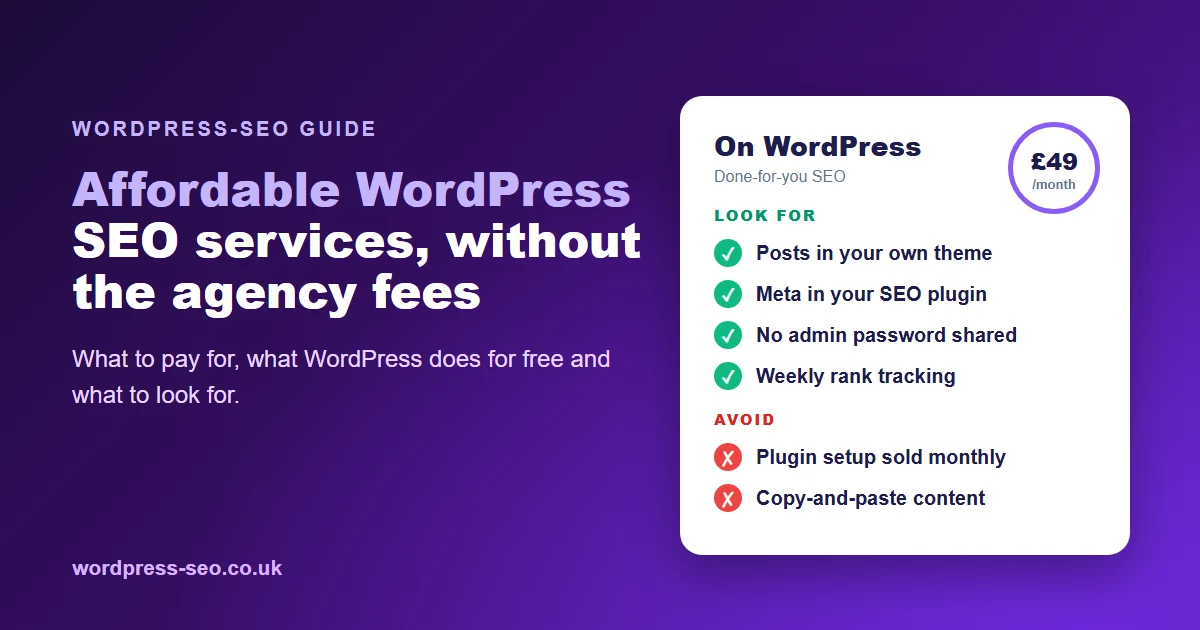
| WordPress-SEO.co.uk | Automated, managed SEO: keyword research, AI-optimised content, auto-publishing | From £49/month (£1 trial, cancel anytime) |

Technical SEO: Ensuring Peak WordPress Performance
Site Speed, Mobile Usability & Security
Technical issues can seriously affect your WordPress SEO performance. Ensure your site loads quickly by using fast hosting, lightweight themes, and caching plugins. Compress images and eliminate unnecessary plugins that may slow down your site. With more than half of UK searches now on mobile, choose a responsive theme and test your site using Google’s Mobile-Friendly Test.
Secure your site with HTTPS—Google uses it as a ranking factor—and keep your WordPress core, themes, and plugins updated to prevent vulnerabilities. A secure, fast, and mobile-ready site improves user experience and search rankings.
Fixing Common SEO Issues on WordPress
Broken links, duplicate content, and misconfigured redirects are common problems. Use tools like Screaming Frog or your SEO plugin’s audit features to identify and fix issues. Regularly review your site’s performance in Google Search Console, and address crawl errors or warnings promptly. This ongoing maintenance is a crucial part of how to do SEO on WordPress for sustainable results.
Monitoring, Measuring & Scaling Your WordPress SEO
Tracking SEO Results with Analytics
Install Google Analytics and Google Search Console to monitor traffic, keyword rankings, and site health. Review which pages bring in the most visitors and which keywords drive conversions. Set up goals—such as contact form submissions or phone calls—to measure real business outcomes. Use this data to refine your SEO strategy and content plan.
Scaling Content & Optimisation Consistently
Consistency is the biggest driver of organic growth. Develop a regular publishing schedule (weekly or fortnightly is ideal), and continually update older posts to keep them relevant. Consider outsourcing writing and optimisation if time is tight—services like WordPress-SEO.co.uk offer fully managed, automated WordPress SEO from a fraction of typical agency retainers. This lets you focus on running your business while your site climbs the Google rankings.
Frequently Asked Questions
How many times should I use my keyword in a WordPress post?
Use your primary keyword in the title, meta description, the first paragraph, one or two subheadings, and naturally throughout the content (roughly 1%–2% of total words). Avoid keyword stuffing—focus on readability and relevance.
What are the best SEO plugins for WordPress in the UK?
Yoast SEO, Rank Math, and All in One SEO are among the best for UK WordPress sites. They offer on-page optimisation, schema, sitemaps, and local SEO features, all tailored to British businesses and search habits.
How can I improve local SEO for my WordPress site?
Optimise your Google Business Profile, use consistent NAP details, gather UK customer reviews, and include local keywords in your content. List your business in UK directories and add schema markup for address and services.
Is managed WordPress SEO worth it for small UK businesses?
Yes—if you lack time or expertise, managed WordPress SEO (like WordPress-SEO.co.uk) delivers keyword research, content, and technical optimisation for a fraction of agency fees. This provides ongoing growth and peace of mind.
What issues most often affect WordPress SEO performance?
Slow loading times, poor mobile usability, missing meta tags, duplicate content, and broken links are common SEO problems. Regular audits, updates, and plugin use help keep these issues under control.
Mastering how to do SEO on WordPress doesn’t require technical wizardry—just a structured approach and the right support. For UK businesses who want to build authority, attract more local leads, and grow steadily, following these steps (or letting WordPress-SEO.co.uk automate them for you) puts higher rankings well within reach.