Are you a UK business owner with a WordPress site, frustrated that your local competitors outrank you on Google? You’re not alone. Many UK businesses struggle to figure out how to do SEO on WordPress—from picking keywords to writing content and keeping up with ever-changing search rules. But with the right approach, you can build steady, sustainable visibility without hiring a costly agency or drowning in technical jargon.
Key Takeaways
- How to do SEO on WordPress starts with keyword research and regular content publishing.
- SEO plugins streamline technical tasks and boost your WordPress site’s ranking potential.
- Local SEO is crucial for UK businesses to attract customers in your area.
- Tracking SEO metrics helps you adapt and improve your strategy over time.
- Managed, automated services can be a cost-effective alternative to agency retainers.
Why Is SEO Important for WordPress Sites?
Visibility and Organic Growth for UK Businesses
With over 40% of the web powered by WordPress, competition for local and national search rankings is fierce. If you want your business to be found by UK customers, you need to understand how to do SEO on WordPress—otherwise, your site may remain invisible even for branded searches. Good SEO drives qualified traffic, boosts credibility, and brings in customers searching for your products or services.
SEO’s Role in Building Trust
When your WordPress site appears on the first page of Google, it signals to potential customers that you’re trustworthy and established. For UK businesses, this is especially important: local searchers often choose a top-ranked business over one buried on page two. Effective SEO makes your site faster, easier to use, and more likely to convert visits into sales.
How to Do SEO on WordPress: The Step-by-Step Process
Step 1: Keyword Research
Everything starts with knowing how to do keyword research for WordPress. Use tools like Google Keyword Planner or SEMrush to find UK-specific search terms with good traffic and low competition. For local SEO, include regional keywords—think “solicitor in Manchester” or “best vegan café Bristol.” Build a list of primary and secondary phrases for each service or product page.
Step 2: Optimising WordPress for Search Engines
Next, put your keywords to work. Optimise every page’s title, meta description, headings (H1-H3s), and image alt text. Use internal links to connect related articles or services, and add schema markup for rich snippets. This disciplined approach to on-page SEO techniques for WordPress helps search engines understand your content and improves your visibility in both traditional and AI-powered search (including ChatGPT and Gemini).
Step 3: Consistent Content Publishing
Consistency is the secret weapon behind organic growth. Google rewards sites that publish SEO-friendly articles regularly—ideally, at least once a week. Blog about local events, answer common customer questions, and cover service topics relevant to your area. Use your keywords naturally within well-structured posts. This is the heart of how to do SEO on WordPress successfully.
Step 4: Technical SEO and Site Health
Ensure your site is mobile-friendly, loads quickly, and uses secure HTTPS. Compress images, use caching plugins, and keep your themes and plugins updated. Technical issues can undermine even the best content efforts. If you’re unsure, SEO plugins and managed services can automate many of these checks for you.

The Best SEO Plugins and Themes for WordPress in the UK
Leading SEO Plugins for UK Businesses
Wondering which SEO plugins for WordPress in the UK are worth your time? Yoast SEO, Rank Math, and All in One SEO Pack dominate the market. These plugins let you manage meta tags, create XML sitemaps, preview search snippets, and add schema—all critical for optimising WordPress for search engines. Many also include local SEO modules to add your business address, opening hours, and regional keywords.
Choosing the Right SEO Theme
Picking the best SEO themes for WordPress is vital—your theme affects site speed, mobile usability, and how easily search engines crawl your pages. Top choices for UK businesses in 2026 include Astra, GeneratePress, and Kadence, all known for speed and clean code. Avoid themes overloaded with features you’ll never use, as they can slow down your site and hurt rankings.
| Plugin/Theme | Main Benefits | Typical Cost (2026) |
|---|---|---|
| Yoast SEO | On-page analysis, XML sitemap, readability checks | Free / £99 per year (Premium) |
| Rank Math | Advanced schema, keyword tracking, local SEO | Free / £59 per year (Pro) |
| Astra Theme | Fast, lightweight, highly customisable | Free / £49 per year (Pro) |
| GeneratePress | Speed-focused, accessibility-ready | Free / £59 per year (Premium) |
Automation: Managed vs. DIY SEO
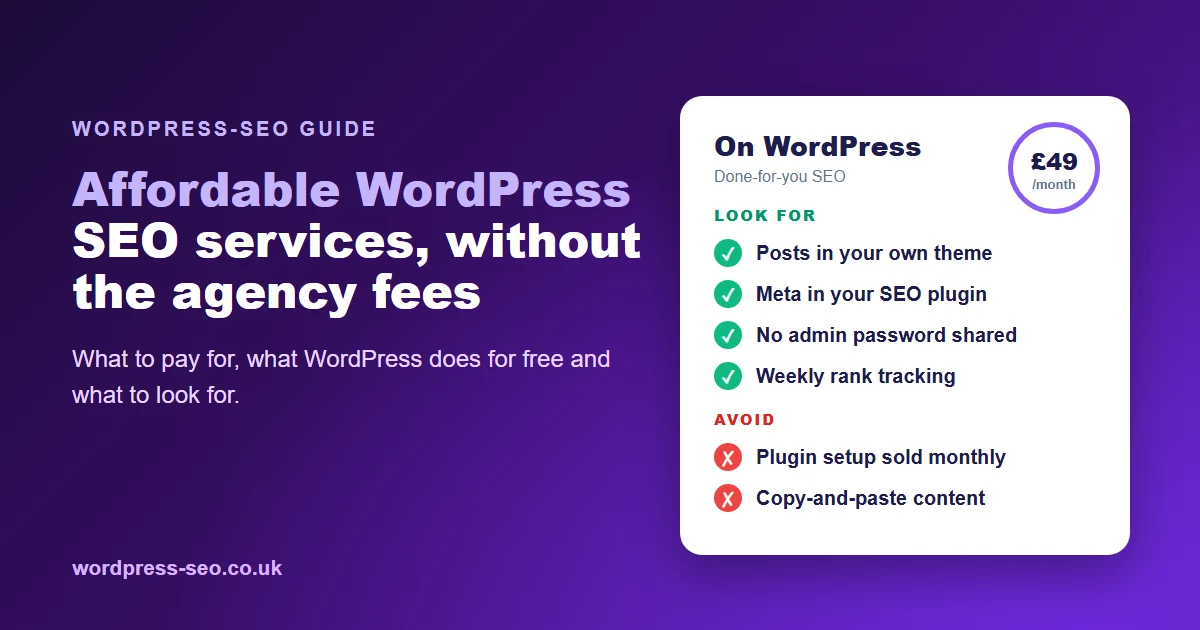
Traditional agencies in the UK charge from £200/month for managed SEO, often much more. If you want hands-off results at a fraction of the price, consider automated services like WordPress-SEO, which start from just £49/month and include everything from keyword research to automatic publishing.
Creating SEO-Friendly Content on WordPress
What Makes Content Rank?
SEO-friendly content is original, valuable, and answers real questions your audience has. Use clear headings, bullet points, and short paragraphs for readability. Each post should target a main keyword and include secondary phrases naturally. Don’t forget to link internally to related posts and use external links to trusted UK authorities, such as gov.uk’s business support or Which? SEO advice.
Optimising Images for SEO in WordPress
Compress your images to improve load speed, and use descriptive file names and alt text that includes relevant keywords. This helps both search engines and visually impaired users. For local SEO, you might include regional terms in image alt text (e.g., “Birmingham café latte art”). Proper image optimisation is a key part of how to do SEO on WordPress successfully and improves your visibility in Google Images.
Structuring for Users and Search Engines
Break up long posts with subheadings, lists, and images. Use schema markup (supported by most SEO plugins) to help Google understand your site’s structure and content type. Well-structured articles are more likely to earn featured snippets and higher rankings in both search and AI-powered results.

Local SEO Strategies for UK WordPress Businesses
Google Business Profile and Local Listings
For UK businesses, local SEO strategies are essential. Claim and optimise your Google Business Profile, ensuring your name, address, and phone number (NAP) are consistent across your website and local directories. Add location pages or local testimonials to your site, and encourage customers to leave reviews.
Location-Specific Content and Backlinks
Create content tailored to your city, county, or service area—think “best electrician in Leeds.” Build relationships with other local UK businesses, charities, or community groups for backlinks. Sponsor local events or contribute guest posts to regional blogs; these links can significantly improve your local search presence.
Tracking Local SEO Success
Use Google Analytics and Google Search Console to track how much traffic comes from your target locations. Monitor your rankings for local keywords and adjust your content plan as needed. This data-driven approach ensures your local SEO efforts are paying off.
Understanding WordPress SEO Metrics and Analytics
How to Set Up Google Analytics on WordPress
Install the free Site Kit by Google plugin or manually add your tracking code. This lets you monitor traffic sources, bounce rates, and which pages drive the most engagement. For UK businesses, filter data to see how your site performs in specific regions or cities.
Key Metrics to Watch
Track organic traffic, keyword rankings, click-through rates, and conversions (such as contact form submissions or sales). Reviewing these WordPress SEO metrics monthly helps you understand what’s working and where to focus your efforts. Don’t obsess over vanity metrics—instead, measure what drives real business value.
Regular SEO Audits and Updates
SEO isn’t a one-off task. Schedule quarterly audits to find broken links, slow pages, or outdated content. Update your best-performing pages to keep them current, and refresh old posts with new data or insights. This ongoing approach is central to how to do SEO on WordPress for lasting results.
Frequently Asked Questions
How do I start with SEO on my WordPress site?
Begin by researching UK-relevant keywords, installing an SEO plugin, and optimising your site’s basic settings. Publish your first SEO-friendly blog post and set up Google Analytics to track progress. Consistency is key, so aim to update regularly.
What are the best SEO plugins for WordPress in the UK?
Yoast SEO, Rank Math, and All in One SEO Pack are the most widely used plugins for UK businesses. Each offers robust on-page optimisation, sitemaps, and local SEO tools. Test a couple to see which fits your workflow best.
How can I improve my WordPress site’s ranking locally?
Optimise your Google Business Profile, use location-specific keywords, and build backlinks from other local UK sites. Add customer reviews, create local landing pages, and ensure your contact details are consistent everywhere.
How do I create SEO-friendly content on WordPress?
Write posts that answer your customers’ questions, using keywords naturally in headings, body, and meta descriptions. Include images with descriptive alt text, and interlink to other relevant pages on your site for added SEO value.
How much does fully managed WordPress SEO cost in the UK?
Most agencies charge £200–£2,000+ per month for managed SEO. Automated solutions like WordPress-SEO offer all-in-one, hands-off optimisation—including keyword research, content writing, and publishing—from only £49/month, a fraction of typical agency rates.
Ready to stop guessing how to do SEO on WordPress? WordPress-SEO.co.uk lets UK businesses grow with fully managed, automated SEO—covering keyword research, content writing, on-page optimisation, and seamless publishing to your WordPress site. Try it for just £1 and cancel anytime.