Struggling to get your WordPress site to load quickly or rank at the top of Google in the UK? Many business owners overlook a critical factor: images. Unoptimised images can seriously slow your site, frustrate visitors and damage your SEO performance—making all your other efforts less effective.
Quick answer: How to optimise images for WordPress SEO: compress images for faster speed, use descriptive filenames, add relevant alt text, pick the right file formats, and employ responsive image techniques. These steps help your WordPress site load quickly, improve accessibility, and boost Google rankings in the UK.
Key Takeaways
Compressing images before upload is essential to improve WordPress site speed and SEO performance.
Consistent naming and accurate alt text help search engines understand your images and improve accessibility.
Choosing the right file format—JPEG, PNG or WebP—balances quality and performance for UK websites.
Plugins and managed services can automate image SEO, saving UK business owners time and effort.
Regular audits and updates are vital to keep your WordPress site’s image optimisation up to date.
Why image optimisation is crucial for WordPress SEO
Understanding the impact of images on SEO performance
Images do far more than make your website look professional—they directly influence your SEO. Google’s algorithms factor in site speed, user experience and accessibility, all of which are affected by your images. If you want to know how to optimise images for WordPress SEO, start by appreciating just how much unoptimised images can slow your site down and reduce your chances of ranking on the first page—especially when competing with other UK businesses.
According to Ofcom's Online Nation 2025 report, users in the UK are increasingly impatient: over 45% will abandon a website if it takes more than two seconds to load. Bloated images are one of the most common causes of slow-loading WordPress sites in Britain, particularly for mobile users. By learning how to improve site speed with images, you set your business up for more visits, longer sessions and better local rankings.
SEO best practices for images on WordPress
Implementing the best practices for WordPress image SEO involves going beyond simply uploading a photo. Each image should have a descriptive filename (e.g. edinburgh-cafe-flat-white.jpg), succinct and meaningful alt text, and be compressed to the smallest practical size without sacrificing clarity. Sizing and responsive delivery for different devices, especially mobiles, are now considered standard for UK sites aiming to rank in 2026—and they all directly relate to how to optimise images for WordPress SEO.
For a practical look at SEO costs in the UK and how to save, see our guide to affordable WordPress SEO services.
Image optimisation techniques for WordPress sites
How to compress images for faster loading
Compression is the single most important technique in how to optimise images for WordPress SEO. Large images slow your site, frustrate visitors, and harm your Google rankings. Before uploading, use tools like TinyPNG or UK-based ShortPixel to reduce file size while maintaining quality. For ongoing management, WordPress plugins like Smush and ShortPixel can automatically compress images upon upload, making it easy for UK business owners to maintain fast-loading sites.
For the best results, aim for images under 150KB for most uses, with homepage hero images typically not exceeding 300KB. Compressing images regularly is one of the easiest image optimisation techniques for WordPress, especially if you run a regularly updated blog or product catalogue.
Choosing the right image file formats for web use in the UK
When thinking about how to optimise images for WordPress SEO, selecting the correct file format is vital. JPEG works best for photographs, PNG for graphics with transparency, and WebP for a modern, highly compressed alternative that maintains quality. For most UK businesses, switching to WebP can reduce image sizes by 30% or more, making your WordPress site much faster without losing visual appeal.
File Format | Best Use | Pros | Cons |
|---|---|---|---|
JPEG | Photos | Small file size; good quality | No transparency; loses quality with repeated editing |
PNG | Logos, graphics | Transparency support; lossless quality | Larger file size; slower load |
WebP | All-round | Best compression; supports transparency | Older browser compatibility issues |
What size should images be for WordPress?
For most UK WordPress sites, full-width images should be no wider than 1200px, and often 800px is sufficient for blog images. Thumbnails and icons should be much smaller—typically 150px wide. Oversized images waste bandwidth and slow your website, especially for mobile visitors. Always resize images before uploading; don’t rely solely on WordPress’s automatic scaling, as the original large file is often still loaded. This is a vital part of how to optimise images for WordPress SEO for speed and efficiency.
SEO-friendly naming and alt text for WordPress images
SEO-friendly image naming conventions
Default names like IMG_0152.jpg or DSC0001.png are no help to either search engines or users. For how to optimise images for WordPress SEO, use clear, descriptive, hyphen-separated filenames such as london-florist-rose-bouquet.jpg. This practice helps your images show up in Google image search results and supports your local SEO in the UK, especially if you include place names or service keywords relevant to your business.
Don’t forget to use naming conventions that match the intent of your business or product. For example: brighton-coffee-shop-interior.jpg tells both Google and users exactly what’s in the image and where.
Image alt text importance in SEO
Alt text is crucial for both accessibility and SEO. Each image should have clear and relevant alt text—ideally between 6 and 12 words—describing the image’s key content and, where relevant, including a keyword or UK place name. For example, “Fresh artisan sourdough at Leeds bakery counter”. This is one of the most powerful WordPress image SEO tips and tricks. Avoid keyword stuffing; always write naturally for people first.
How to optimise images for mobile WordPress sites
Responsive images and mobile optimisation
With over 60% of all UK web traffic now coming from smartphones, how to optimise images for WordPress SEO must include mobile. Use WordPress’s built-in responsive image support (the srcset attribute), which automatically serves smaller versions of your images to mobile users. Consider plugins or themes that support adaptive image delivery for even better performance. Always check your site on real devices or use Google’s Mobile-Friendly Test to ensure images scale and load quickly on mobiles.
Lazy loading and image delivery optimisation
Lazy loading defers image downloads until they’re about to enter the viewport. This means only images visible to the user are loaded initially, making your WordPress site feel much snappier—especially important for UK visitors using slower mobile connections. WordPress now includes native lazy loading, but plugins like a3 Lazy Load or Smush Pro can provide more control and analytics.
Best image plugins for WordPress in the UK
UK image optimisation tools for websites
Several plugins offer comprehensive image optimisation for WordPress. The best image plugins for WordPress in the UK include Smush, ShortPixel, Imagify, and Optimole. These plugins offer automatic compression, format conversion (including WebP), lazy loading, and bulk optimisation. Most are GDPR-compliant—important for UK businesses—and integrate with the WordPress REST API for seamless automation. Evaluate each plugin’s speed, support, and pricing to find the best fit for your needs.
Automating image SEO with managed WordPress services
If you want to save time and avoid plugin overload, consider a managed service like WordPress-SEO pricing, starting from £49/month with a £1 trial. Unlike traditional agencies charging £200–£2,000/month, WordPress-SEO automatically handles keyword research, content writing, image optimisation, and publishing—making high-quality SEO accessible for any UK small business. This ensures your images are always optimised without you lifting a finger.
For a comprehensive overview of the blog's SEO resources, explore our WordPress SEO blog hub which covers more about image optimisation and ranking in the UK.
Frequently Asked Questions
How do I check if my WordPress images are fully optimised?
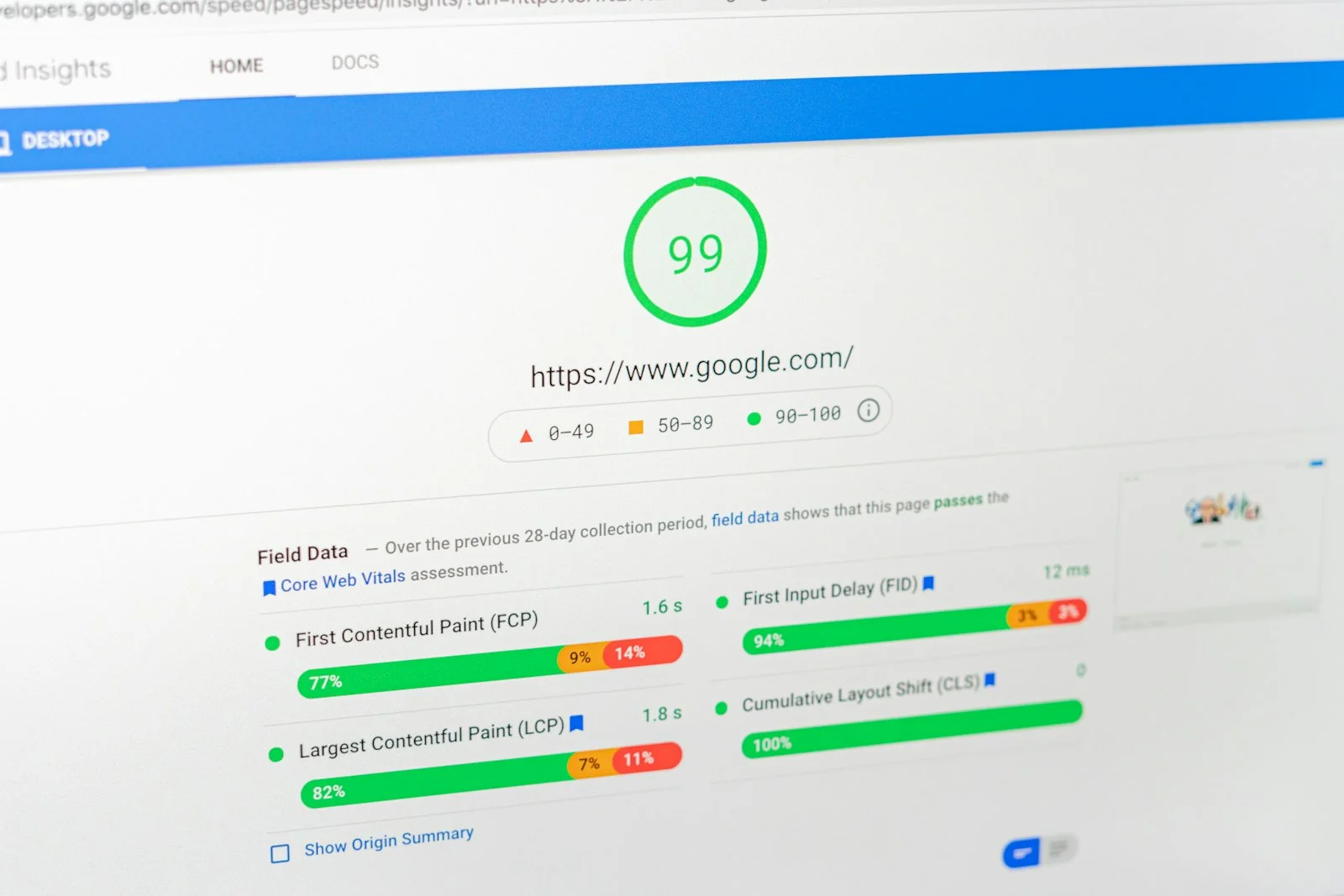
Use site audit tools like Google PageSpeed Insights or WordPress plugins that analyse your media library for oversized files, missing alt text, or uncompressed graphics. Fix flagged items to ensure your images meet current SEO best practices.
Is there a difference between image optimisation for UK sites and global ones?
Principles are similar, but UK businesses must consider GDPR compliance and local search intent. Including UK place names in filenames or alt text can help with local SEO and audience targeting.
What are the best free tools for compressing WordPress images?
Online tools like TinyPNG, CompressJPEG, and free versions of Smush or ShortPixel are popular in the UK. They offer easy drag-and-drop compression for individual or bulk image uploads before adding them to WordPress.
How often should I review and update images on my WordPress site?
Audit your media library at least quarterly, or after major content updates. Outdated or oversized images can slip in over time, so regular reviews help maintain fast load times and SEO performance.
Can I optimise images for WordPress SEO without plugins?
Yes—manually compress images before upload, rename them with descriptive UK-relevant terms, and add alt text. However, plugins or managed services save time and ensure consistency, especially for larger sites.
Optimising your images is a core part of how to optimise images for WordPress SEO, especially for businesses competing in the UK market. From compression and naming to responsive delivery and automation, these techniques drive better rankings, faster loading, and more conversions. For those who want a hands-off, affordable solution, WordPress-SEO delivers fully managed, automated image and content SEO from just £49/month—making professional results accessible to every UK business.